Return to Intelligence Bank
Intelligence Brief
ID: HOW-TO-USE-PLAN-MODULE

The Plan Module Complete Guide: Command Your Time

A comprehensive operational guide to all eight Plan Module components — Tasks, Projects, Goals, Smart Inbox, Focus Engine, Calendar, Notes, Weekly War Room, and Analytics.

Operation ZonePLAN MODULE
Read Duration14 MIN
PLANTASKSPROJECTSGOALSPRODUCTIVITY

The Plan Module Complete Guide: Command Your Time

Operational Directive

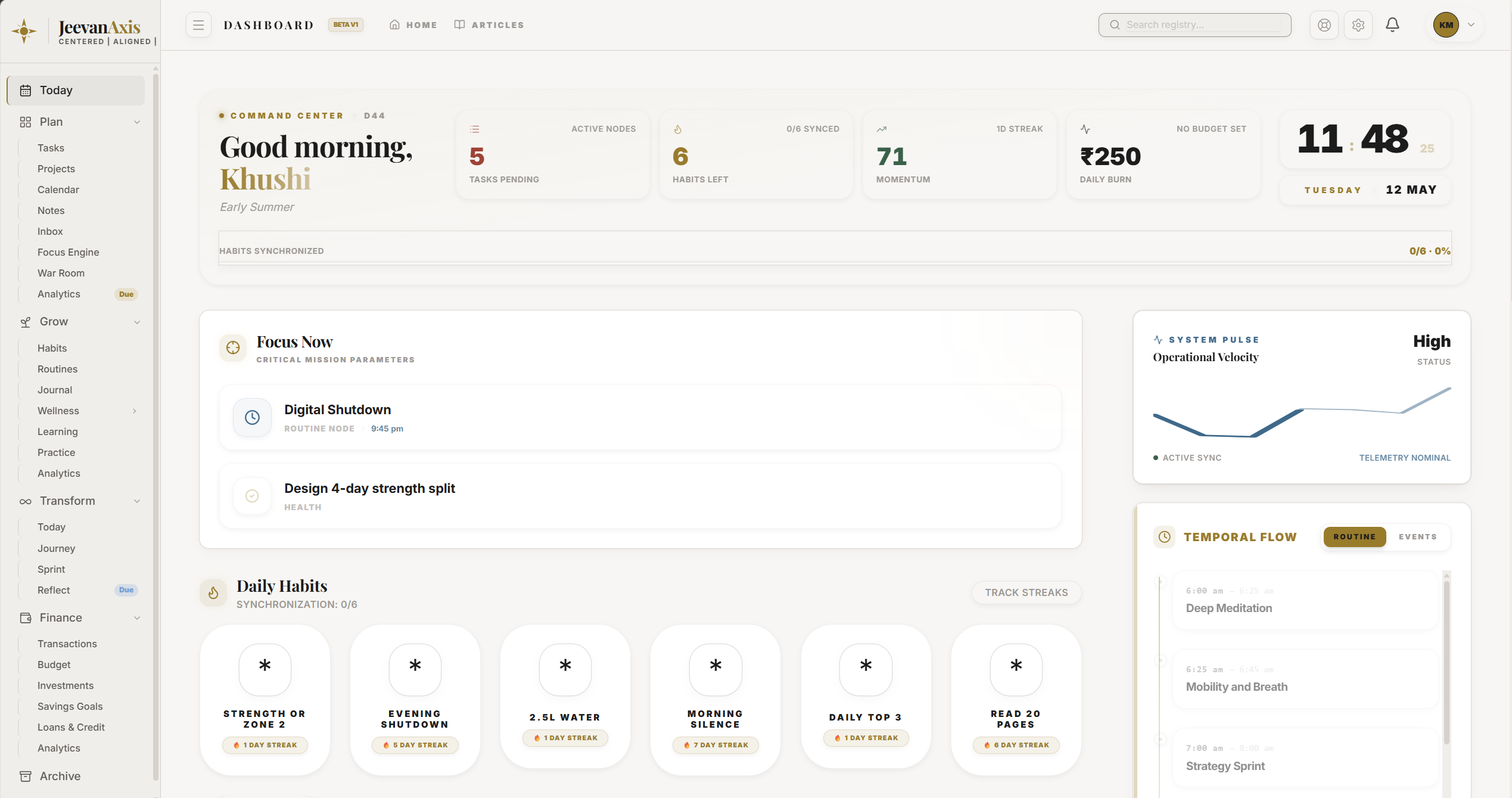
The Plan Module is your external command structure — a unified execution engine that converts your intentions into organized tasks, projects, goals, deep work sessions, and weekly reviews. This complete guide walks you through every feature, how they connect, and the daily and weekly operating rhythm that makes the Plan Module your most powerful productivity asset.

Section Protocol
Why Most People Need More Than a To-Do List

A basic to-do list captures what needs to be done. But it cannot tell you which tasks matter most, how they connect to your larger goals, when you realistically have capacity to do them, or whether you are making progress at a pace that will get you where you want to go.

The JeevanAxis Plan Module is built on a different architecture — one that links individual tasks to projects, projects to goals, and goals to your overall life direction. When you complete a task, it is not just a checkbox — it is a measurable movement toward an outcome that matters to you.

Tactical Logic Visualization
SYNTHESIZING DIAGRAM…
//The Plan Module operates across three layers — Goals give direction, Projects give structure, Tasks give daily action

Section Protocol
The Eight Components of the Plan Module

JeevanAxis Plan Module — unified execution engine with Tasks, Projects, Goals, Focus Engine, and Analytics

Tactical Logic Visualization
SYNTHESIZING DIAGRAM…
//Ten interconnected components — together they form a complete system from capture to execution to review

Section Protocol
Component 1: Tasks — The Execution Layer

Tasks are the smallest unit of action in the Plan Module. Every task has:

  • Title — what you need to do
  • Priority — P1 (critical) through P4 (low), which drives Eisenhower Matrix placement
  • Due Date — when it must be done
  • Project Link (optional) — which project this task belongs to
  • Goal Link (optional) — which life goal this task advances
  • Estimated Duration — how long it will realistically take
  • Actual Duration — auto-logged by the Focus Engine when you work on it

TACThe Priority System

Tactical Logic Visualization
SYNTHESIZING DIAGRAM…
//Priority levels directly map to Eisenhower Matrix quadrants — setting priority is not just labeling, it determines where the task appears

Section Protocol
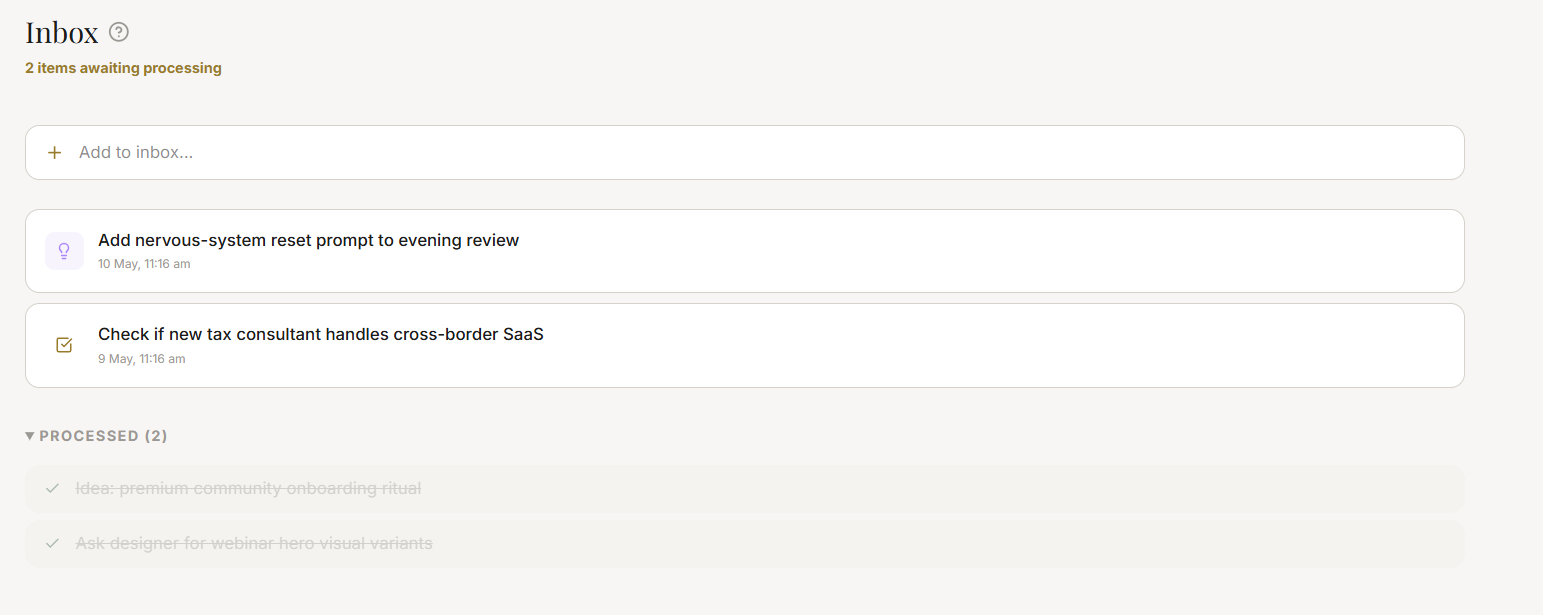
Component 2: Smart Inbox — The Capture Queue

The Smart Inbox receives everything captured via Quick Capture (⌘K) before it has been processed. It is a temporary holding zone — not a permanent home for any task.

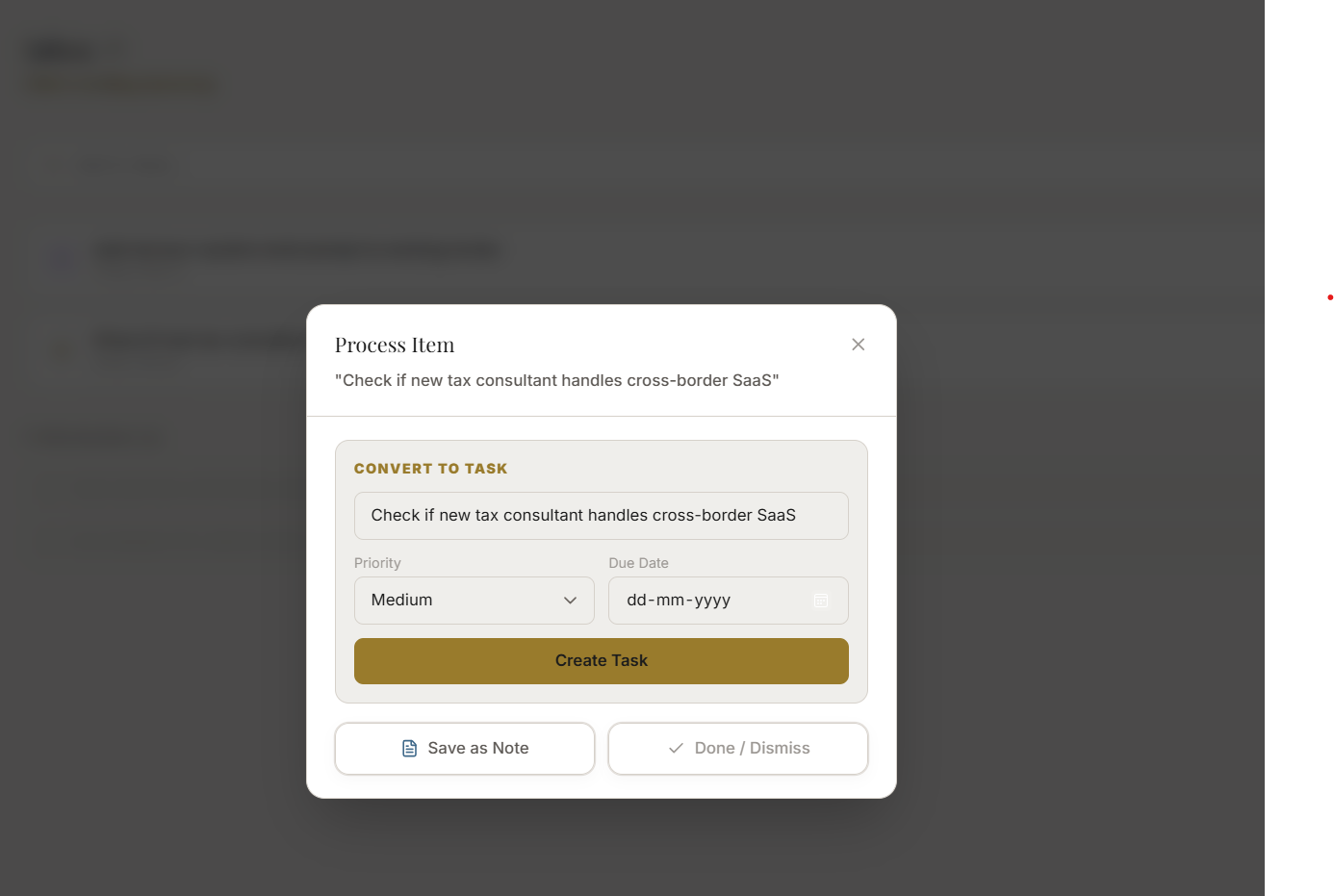
Daily Processing Protocol:

  1. Open Smart Inbox (Plan → Inbox)
  2. Take each item one at a time
  3. Assign it a Priority, Project link, and Due Date
  4. Move it to the active task queue
  5. Anything that cannot be actionized → delete or move to Notes

Target: Inbox at zero every morning before starting Q1 work.

Section Protocol
Component 3: Projects — The Structure Layer

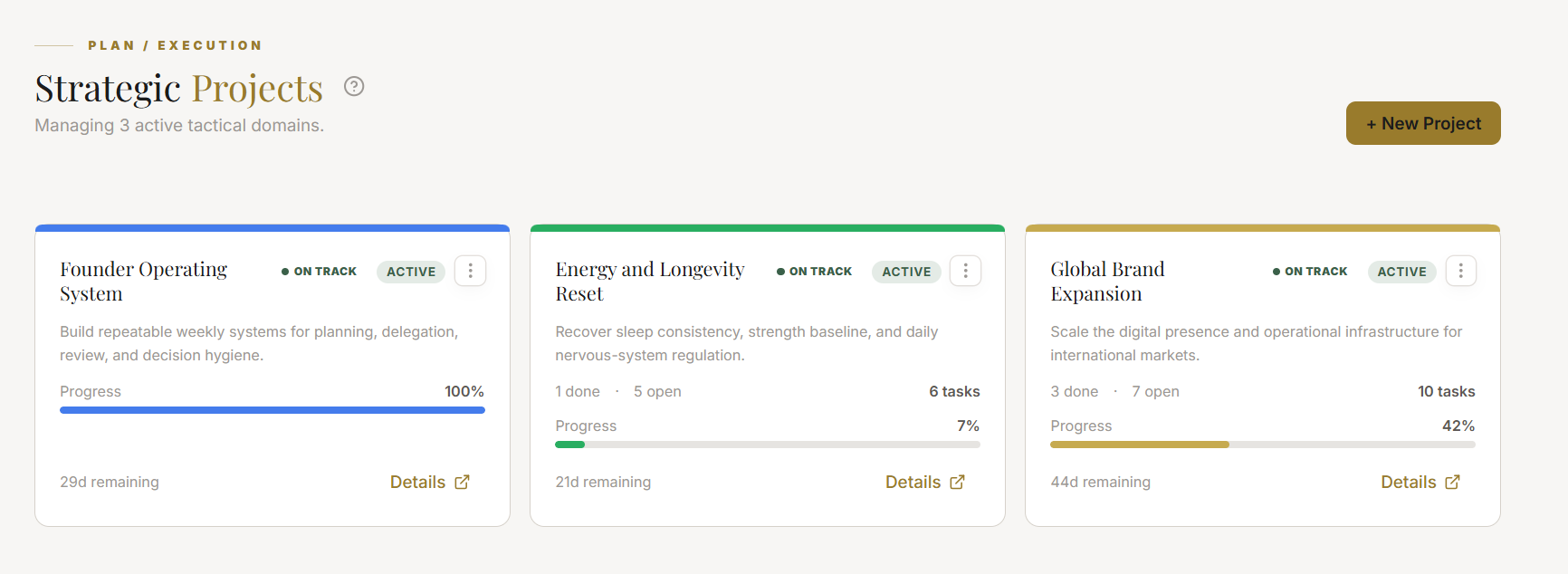
A project is any outcome that requires more than one task and more than one day to complete. Projects give your tasks a container — grouping related work and giving it an overarching title, description, and target completion date.

Tactical Logic Visualization
SYNTHESIZING DIAGRAM…
//A well-structured project has milestones, linked tasks, and a target date — giving you a live health status at all times

Project Health Statuses:

  • 🟢 On Track — completion pace matches target date
  • 🟡 At Risk — completion velocity has slowed; target date may slip
  • 🔴 Off Track — at current pace, target date will be missed by 7+ days
  • Paused — deliberately paused; excluded from velocity calculations

Section Protocol
Component 4: Goals — The Direction Layer

Goals are the highest-level container in the Plan Module. They represent outcomes — the results you want your life to reflect over a 30–365 day horizon.

Tactical Logic Visualization
SYNTHESIZING DIAGRAM…
//Goals cascade down to milestones, then to projects, then to tasks — every completed task moves the goal's progress ring forward

JeevanAxis Goals and Projects — cascading structure from life outcomes to daily tasks

Goal Categories: Health · Career · Finance · Relationships · Learning · Creative · Spiritual · Personal

Each goal category has a color-coded badge. Goals feed your Holistic Balance Radar on the Today Dashboard — neglected goal categories reduce the corresponding Purusartha quadrant score.

Section Protocol
Component 5: Focus Engine — The Execution Layer

The Focus Engine is the deep work infrastructure of the Plan Module. It wraps any task in a timed, distraction-reduced working environment.

Tactical Logic Visualization
SYNTHESIZING DIAGRAM…
//Every completed Focus Engine session auto-logs actual hours against the task — eliminating manual time tracking

JeevanAxis Focus Engine — deep work session with circular countdown timer and Shield Mode

Session Types:

  • Pomodoro (25 min) — for tasks requiring frequent context switches; high output in short bursts
  • Deep Work (50 min) — for sustained analytical work; the most common choice
  • Flow State (90 min) — for creative work, complex problem solving, or writing; requires adequate sleep and energy

Section Protocol
Component 6: Weekly War Room — The Review Layer

The Weekly War Room is a structured 5-step Sunday review that resets your system for the coming week. It takes 15–30 minutes and is the single highest-leverage behavior in the Plan Module.

Tactical Logic Visualization
SYNTHESIZING DIAGRAM…
//The 5-step War Room protocol converts weekly reflection into next-week execution — closing the loop between review and action

JeevanAxis Weekly War Room — 5-step structured Sunday strategic review

Section Protocol
Component 7: Calendar — The Time Layer

The Calendar in the Plan Module is a time-blocking tool, not just an event scheduler. Every task with a due date and estimated duration can be dragged directly onto a calendar block — converting abstract priorities into concrete time commitments.

Key Calendar Features:

  • Drag-and-drop scheduling — drag tasks from the task queue onto specific time slots
  • Overcommitment Detection — the calendar highlights days where your scheduled task hours exceed your available working hours
  • Indian Holidays + Panchang — national holidays and Hindu festivals are marked automatically
  • Recurring Events — routines and recurring tasks appear as recurring blocks
  • Focus Block Protection — blocks marked as "Focus" suppress calendar event notifications during the window

Section Protocol
Component 8: Notes — The Knowledge Layer

Notes is a personal knowledge base integrated directly with your tasks and projects. Notes can be:

  • Standalone — ideas, references, meeting notes, research
  • Project-linked — attached to a specific project (e.g., "Research notes for Website Launch project")
  • Task-linked — contextual notes attached to a specific task

Note Features:

  • Rich text editing with markdown support
  • Backlinks — reference other notes, tasks, or goals within note content
  • Tag system for cross-linking related notes
  • Full-text search via Command Brain (⌘K)

Section Protocol
Component 9: Analytics — The Intelligence Layer

Tactical Logic Visualization
SYNTHESIZING DIAGRAM…
//Six analytics metrics give you a complete picture of your execution health — from raw output to strategic alignment

JeevanAxis Plan Analytics — Momentum Score, velocity charts, and goal milestone tracking

Section Protocol
The Daily and Weekly Operating Rhythm

Tactical Logic Visualization
SYNTHESIZING DIAGRAM…
//The daily-weekly rhythm converts the Plan Module from a passive tool into an active execution system

Common Traps

Plan Module Full Setup Checklist

Reflection Prompts

"

Executive Summary

The Plan Module is a three-layer execution system: Goals set direction, Projects create structure, and Tasks drive daily action.

Supporting this core are eight components — Smart Inbox for capture, Focus Engine for deep work, Weekly War Room for weekly review, Calendar for time-blocking, Notes for knowledge, Analytics for performance intelligence, and Command Brain for instant navigation.

The system only reaches its full power when all layers are connected — tasks linked to projects, projects linked to goals — and when both the daily rhythm (inbox processing, Focus Engine sessions, task completion) and weekly rhythm (War Room review) are consistently maintained.

Intelligence Pipeline

Ready to Deploy Your Life OS?

Experience the full power of integrated intelligence. Stop managing apps and start operating your life.

Launch Command Center