How to Use the JeevanAxis Today Dashboard to Run Your Entire Day
A complete operational guide to the Today Dashboard — the unified command center integrating tasks, habits, wellness, finance, and intelligence insights into one morning-to-night workflow.
How to Use the Today Dashboard
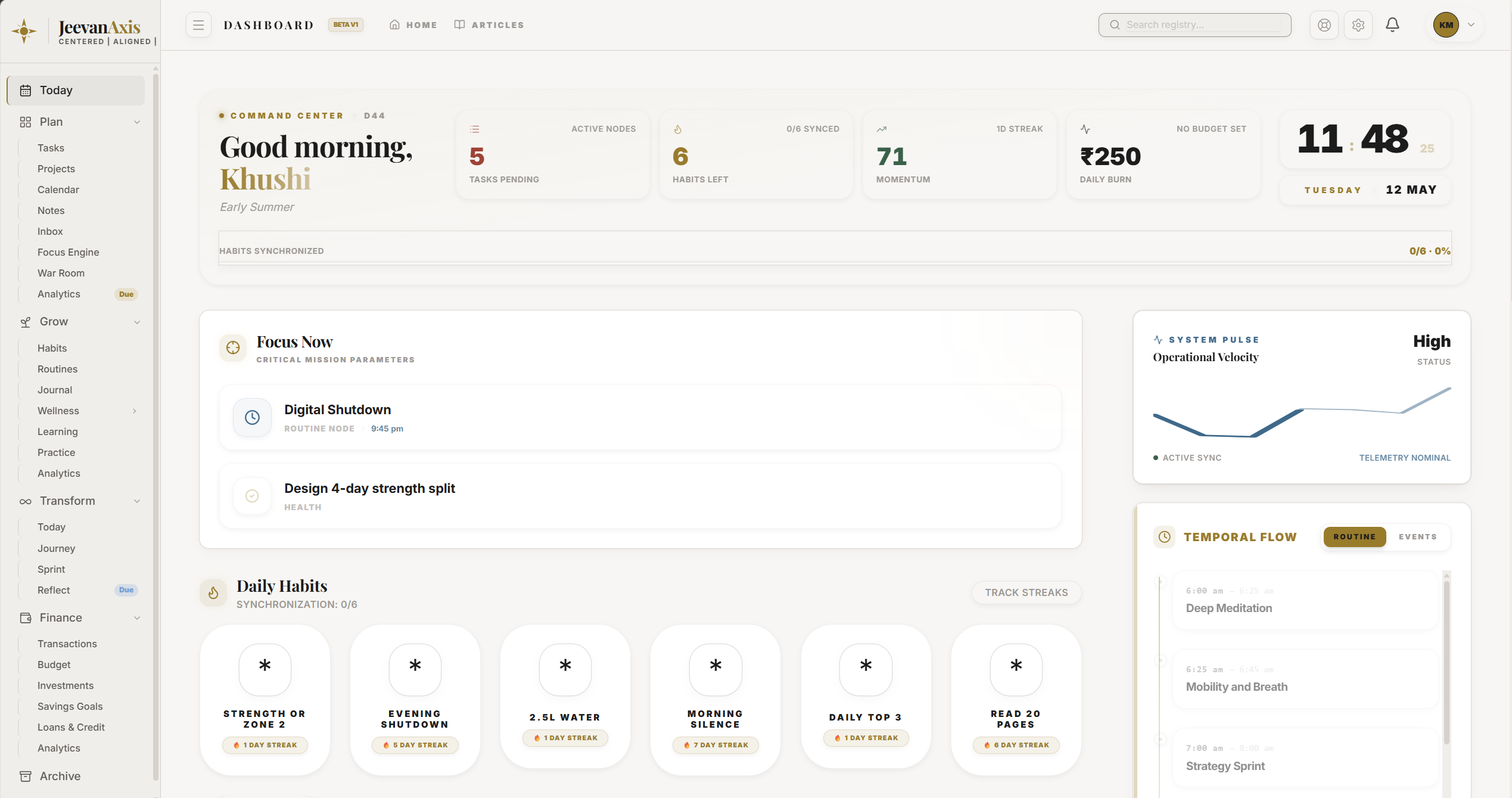
The Today Dashboard is where your whole life-operating-system comes together for the day in front of you. Instead of opening five modules to find out what matters, you open one screen: your habits, tasks, wellness, finances, active cycle, momentum, and a handful of generated insights, all in a single view built for execution.
Operational Directive
Today is for doing, not planning. It surfaces what needs attention right now and lets you act on it in place — clear your habits and top tasks here, and drop into a module only when something needs depth.
Section ProtocolWhat Today pulls together
| Zone | What it shows | What to do with it |
|---|---|---|
| Greeting and KPIs | A snapshot: pending tasks, vitality, cycle day, habits synced | Read the state of your day at a glance |
| Habits | Today’s habits with quick check-off | Tick them off directly, no detour to Grow |
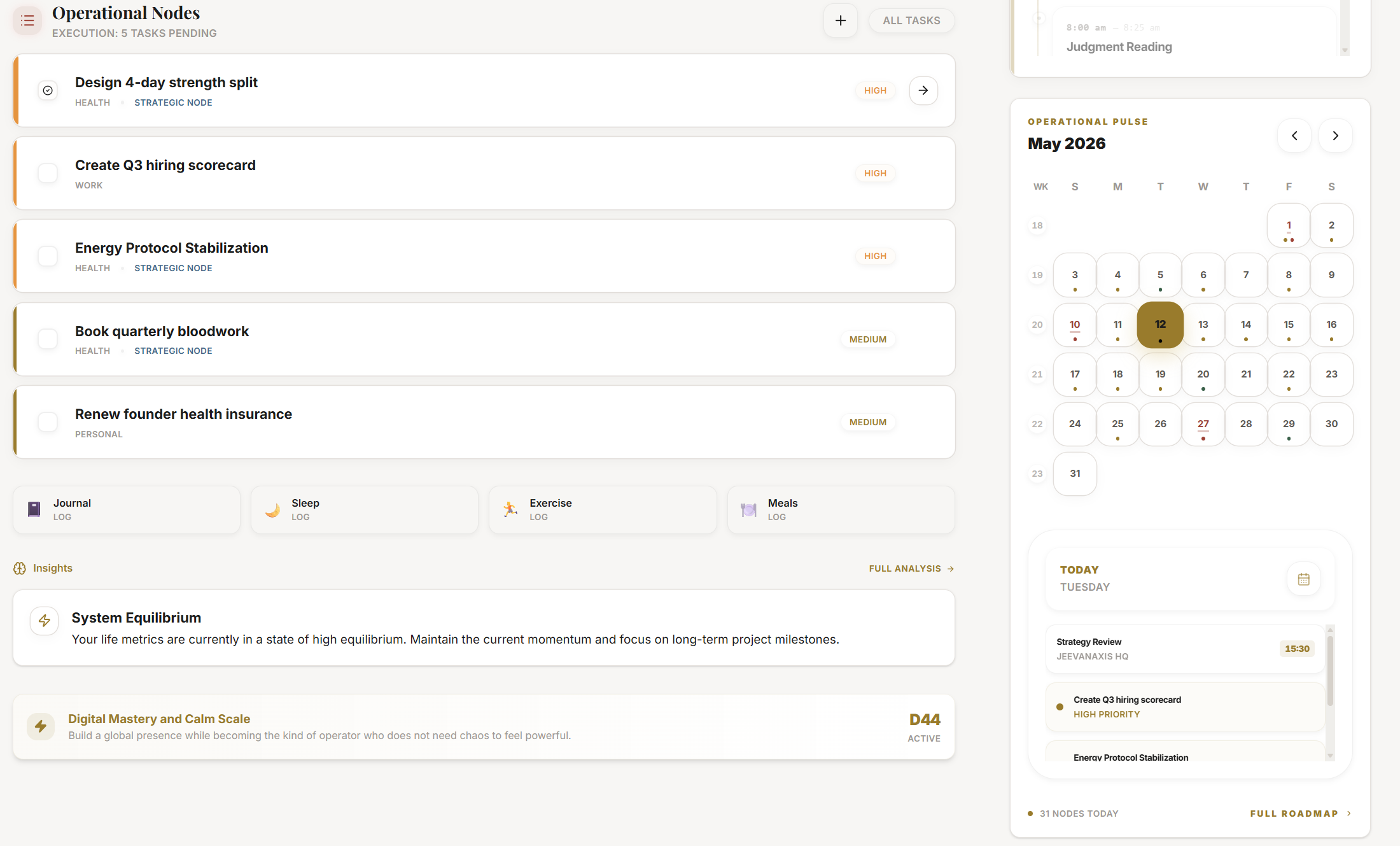
| Tasks | Your pending, priority-ordered actions | Work the top few from here |
| Smart insights | Patterns drawn from your recent behaviour | Act on the ones that point to drift |
Section ProtocolRunning your day from Today
The dashboard is designed for a morning-to-night rhythm. In the morning, scan the KPIs and the greeting line for the shape of the day, then knock out your habits. Through the day, work your top tasks from the task zone. In the evening, a quick pass confirms what got done and what rolls forward. Anything that needs real structure — planning a project, reviewing the week — is one click into the relevant module.
Section ProtocolThe insights are prompts, not verdicts
The smart insights are generated from your recent cross-module behaviour — a slipping streak, a sleep debt building, an over-committed week. They are there to catch drift early, while it is still cheap to fix. Treat each one as a nudge to look, not a command to obey; you always have the context the rule does not.
⚠Common Traps
Section ProtocolWorked example
Ravi opens Today at 7am. The KPI strip shows three tasks pending and a sleep-debt insight. He ticks his morning habits from the habit zone, notes the sleep insight and decides on an earlier night, and starts his top task without leaving the screen. At day’s end he glances back, confirms the day’s wins, and lets the rest roll to tomorrow. Total module-hopping: none.
Reflection Prompts
Intelligence Pipeline
Ready to Deploy Your Life OS?
Experience the full power of integrated intelligence. Stop managing apps and start operating your life.
Launch Command Center