How to Use the Decision Journal
Log hard choices deliberately — options, lenses, values, your call, and a prediction you get graded on — to calibrate your judgment over time.
How to Use the Decision Journal
Good judgment is not a gift; it is a trained skill. The Decision Journal makes your hard choices explicit — the options, the thinking you applied, the values you invoked, the call you made, and a prediction you get graded on later. Over time it turns hindsight into calibration: real feedback on how good your judgment actually is.
Operational Directive
The magic is in the prediction. Record what you expect to happen and how confident you are, then review it on the date the app sets. That single loop is what separates a decision journal from a diary.
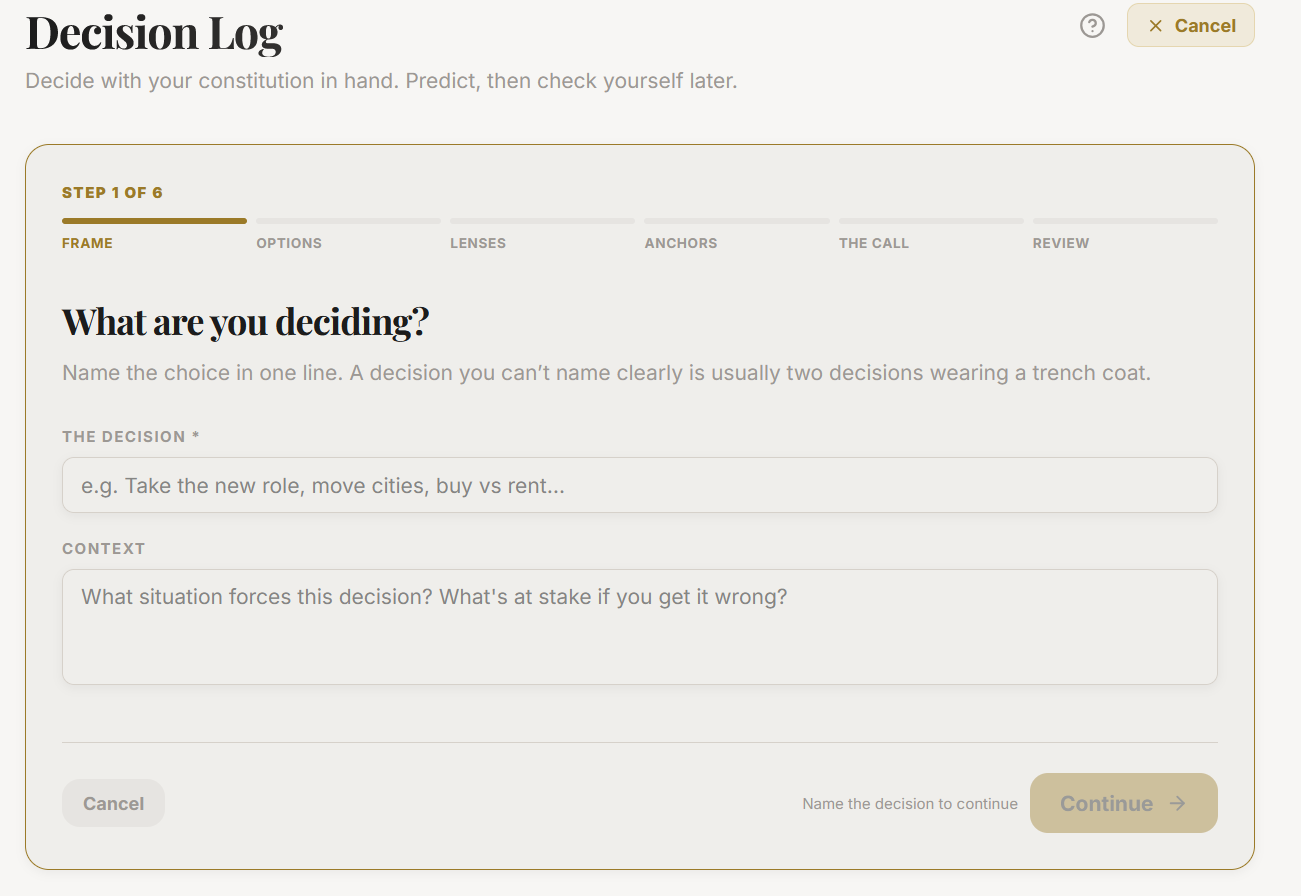
Section ProtocolThe guided flow, step by step
The journal walks you through a short wizard. Only the first step is required; the rest are optional, and some appear only when they are relevant.
| Step | What you do | Required? |
|---|---|---|
| Frame | State the decision and its context | Yes |
| Options | List two or more real options with trade-offs | Optional |
| Lenses | Apply thinking frameworks as worksheets | Optional |
| Anchors | Cite the values and principles in play | If you have them set |
| The call | Your choice and reasoning | Optional — empty keeps it open |
| Predict | Expected outcome, confidence 1 to 10, review date | If a call was made |
| Review | Check it over and edit any step | Yes |
Section ProtocolUnderstanding status
Every decision carries a status, and it moves as you work:
- ▶Open — you framed the decision but have not made the call. A decision with no call stays open indefinitely, which is fine while you are still deciding.
- ▶Decided — you made the call, ideally with a prediction and confidence.
- ▶Reviewed — on the review date the app resurfaces the decision and you score the actual outcome from 1 to 10 and capture the lessons.
Only decisions that carry a prediction and confidence feed your calibration — the running measure of whether your confidence matches reality, and whether you tend to be over- or under-confident.
Section ProtocolWhen to use it
Use the journal for any decision worth remembering or worth learning from — a job offer, a big purchase, a strategic bet, a relationship call. Small, reversible choices do not need it; save the ceremony for decisions whose outcomes you would actually want to grade.
⚠Common Traps
Section ProtocolWorked example
Ravi frames "Take the senior role at the smaller company?" He lists two options with trade-offs, applies a Second-Order Thinking lens, and anchors on his values (Growth over Wealth this year). He makes the call, predicts "more autonomy, tighter money, net positive," rates his confidence 7, and sets a review 90 days out. On the review date the app resurfaces it; he scores the outcome an 8 and notes that he underestimated how much the autonomy would matter. His calibration panel nudges: slightly under-confident on growth bets.
Reflection Prompts
Intelligence Pipeline
Connected Intelligence
Ready to Deploy Your Life OS?
Experience the full power of integrated intelligence. Stop managing apps and start operating your life.
Launch Command Center