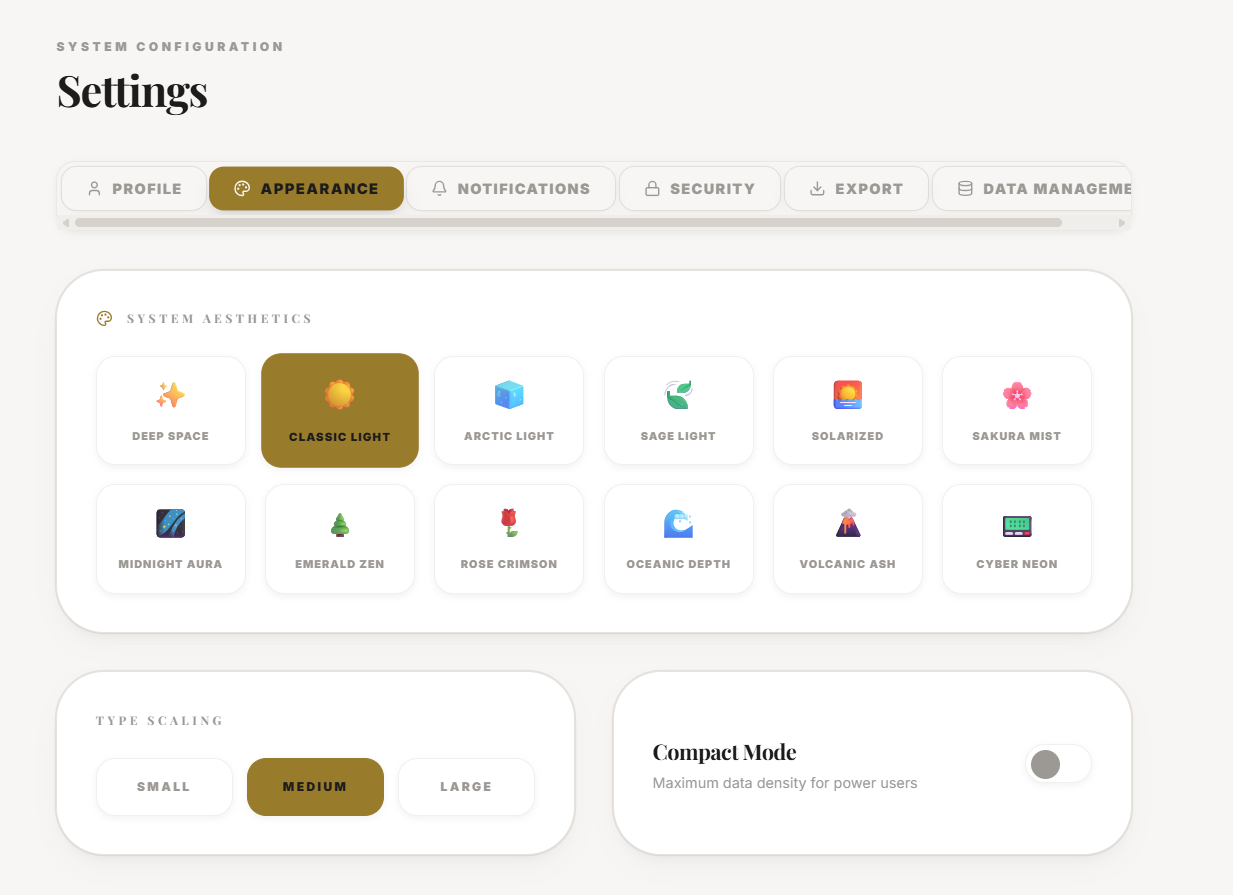
How to Configure Aesthetics and Dark Mode
Personalize your cockpit by selecting True Black themes, custom typography, and high-contrast accent colors.
How to Configure Aesthetics and Dark Mode
Operational Directive

Section ProtocolThe Visual Psychology of Productivity
The interface of your personal operating system is not merely a cosmetic layer; it is the visual environment in which you execute your life's strategy. Cognitive load, focus retention, and operational clarity are directly impacted by typography, contrast ratios, and color palettes. A poorly designed interface creates subconscious friction, while a precisely tuned environment facilitates deep work and clinical execution.
JeevanAxis treats aesthetics as a functional component of the system. We provide tools to manipulate the visual psychology of your cockpit, allowing you to optimize for focus, reduce eye strain during prolonged sessions, and signal operational states through color.
This guide details the exact procedures for configuring True Black modes, selecting high-performance typography, and deploying accent colors to maximize cognitive efficiency.
Section ProtocolTheme Architecture: Light, Dark, and True Black
The foundation of the visual environment is the base theme. The platform offers three distinct base themes, each engineered for specific ambient lighting conditions and psychological states.
The selection of a base theme should not be arbitrary. It should align with your primary operational environment.
- ▶Light Theme: Optimized for high-glare, daylight environments. Utilizes stark contrasts to maintain legibility.
- ▶Dark Theme: The standard operational mode. Reduces eye strain in controlled lighting environments while maintaining subtle depth through gray elevations.
- ▶True Black Theme: Engineered for OLED displays. Background pixels are completely deactivated (#000000), providing infinite contrast and maximum battery efficiency, creating a stark, high-focus environment.
Section ProtocolTypography: The Structure of Information
Typography is the architecture of data transmission. The platform utilizes geometric sans-serif fonts optimized for dense data displays and rapid scanning.
Selecting the appropriate typographic scale and density is critical for data comprehension. High-density settings allow more information per viewport, requiring intense focus. Low-density settings increase padding and font size, reducing cognitive load for more relaxed review sessions.
TACTypographic Hierarchy Protocol
The hierarchy must remain intact regardless of density settings. Headings must command attention, while tabular data must align perfectly for rapid scanning.
Section ProtocolAccent Colors: Visual Signaling
Accent colors are not decorative; they are functional signals. They indicate active states, draw attention to critical metrics, and highlight actionable UI elements.
The platform provides a curated palette of high-contrast, neon-inspired accent colors designed to pierce through the dark and true black themes.
TACStrategic Color Deployment
- ▶Neon Purple: The default state of focused execution. High visibility without aggressive alarm.
- ▶Cyan: Ideal for data visualization and secondary active states. Cool, clinical, and precise.
- ▶Crimson: Reserved exclusively for destructive actions or critical system alerts. Use sparingly to maintain its psychological impact.
Consistent application of accent colors trains the subconscious to recognize system states instantly, increasing navigation speed and reducing decision fatigue.
Section ProtocolCommon Aesthetic Misconfigurations
Improperly configured visual environments degrade performance. Avoid these common aesthetic errors.
⚠Common Traps
Section ProtocolExecution Checklist
Follow this protocol to optimize your visual environment.
✓Integration Checklist
Section ProtocolOperational Reflection
Assess the impact of your visual configuration on your execution.
Reflection Prompts
Executive Summary
▸The visual configuration of your operating system directly influences your cognitive efficiency.
▸By intentionally selecting base themes like True Black for absolute focus, tuning typography for optimal data density, and deploying high-contrast accent colors as functional signals, you transform the interface from a generic display into a precision instrument.
▸A well-configured aesthetic environment eliminates subconscious friction and enables sustained, high-performance execution.
Section ProtocolNext Steps
With your environment visually optimized, focus on data integration and portability.
Intelligence Pipeline
Connected Intelligence
Ready to Deploy Your Life OS?
Experience the full power of integrated intelligence. Stop managing apps and start operating your life.
Launch Command Center